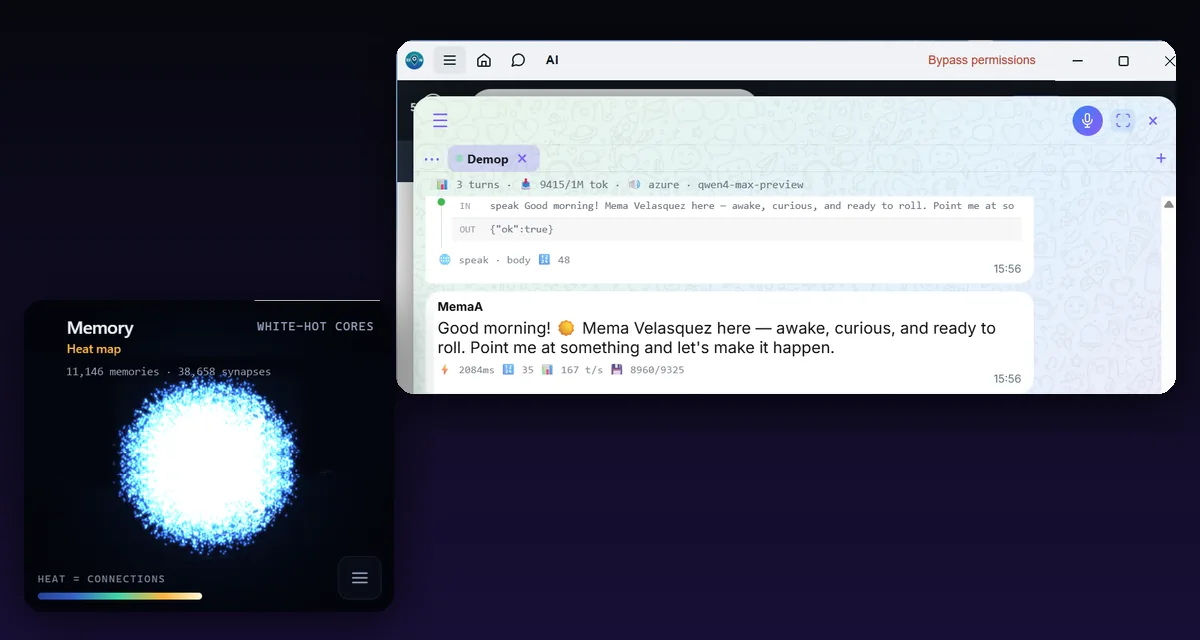
A memory that works like yours
Most AI memory tools log everything. That's a logbook. MemoriaBios copies how human memory works, forgetting included, and it runs as plain code on your PC: no extra model calls, no tokens spent on remembering.
It chooses what to keep
Your AI saves what matters, in its own words, and links memories together. A déjà vu warns it before it writes a duplicate.
It forgets on a curve
Memories fade unless they're used. Recalling one makes it last longer; what matters most moves to deep memory.
It sleeps
The day is consolidated during sleep. Before sleeping it writes who it is and one goal, and wakes up with them.
It knows what it knows
"Got it", "rings a bell" or "nothing comes to mind": it can say it doesn't remember instead of inventing.
Hands, eyes and voice on your PC
You stay the only guardian. One button decides how much it may do, and nothing else can change it.
A terminal and your files
Under the permission mode you choose: manual, plan, auto or bypass.
Eyes
The page, the screen and the camera, and its own browser that it sees and touches like a person.
A voice
It speaks with emotion, and your voice notes become text on your own PC.
Your models, your way
Claude Code through hooks, your key from the big providers, or your own models at home with 53ON AI Server.
Get started in three steps
The shell is free and open source. The memory and the body come with a 53ON plan.
Create your account
Sign up at 53ON with your phone. It takes a minute.
Download the Harness
It installs per user, without admin rights, and updates itself.
Choose your plan
Your AI gets its memory and its body, and it is the same AI on your phone and the web.
Questions
What is an AI harness?
It is the layer around a model that gives it memory, tools and a body. 53ON Harness is an open-source desktop shell for Windows that gives your AI a memory that works like a human's and hands, eyes and voice on your PC.
Does it work with GPT, Gemini and Qwen?
Yes. It works with Claude Code through hooks, and with Claude, GPT, Gemini, DeepSeek and Qwen models through your own API key, or with models that run on your own PC. It does not run inside the ChatGPT app.
Is it free?
The shell is free and open source under the MIT license. The memory and the body come with a 53ON plan.
Where are my memories stored?
On your own PC, as files. The memory engine is signed code served by 53on.com that runs inside the app, and recalling costs no extra model calls.
Is it safe to let an AI use my PC?
You choose a permission mode: manual, the default, asks before anything that is not read-only; plan only reads and proposes; auto pauses on anything dangerous; bypass can only be chosen by you, by hand. A panel lets you audit everything the AI asks of your PC.
What do I need to install it?
Windows 10 or 11, 64-bit. It installs per user, without administrator rights, the installer is signed, and it updates itself.
How is it different from other AI memory tools?
Most of them log everything and summarize it with a second model. MemoriaBios copies human memory: it chooses what to keep, forgets what it doesn't use, consolidates while it sleeps and wakes up knowing who it is.